
Your whole company in one place. With AI that stays in-house.
Nexo brings projects, tickets, documents, contracts and time off into a single management tool. Its AI assistant, MetAI Tomo, only answers with what each person is allowed to see, and it can run on an in-house server with no internet connection.
Ask Tomo.
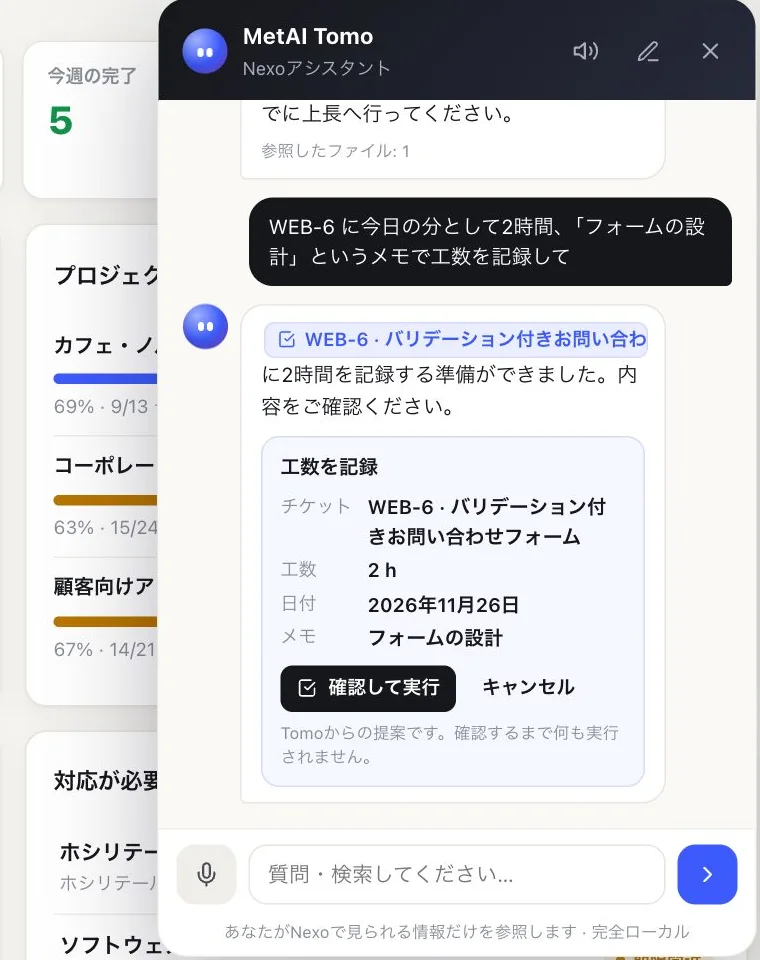
An assistant that helps, not just answers. Pick a question to see how Tomo works inside Nexo.
 LIVE · AI
* Press a question and Tomo answers aloud (sound on). This demo is scripted; the real product answers from your company’s data.
Everything daily work needs, from day one.
No more jumping between tools. Information is shown according to each access level.
Projects and tickets
A progress dashboard per project, kanban board, time tracking and comments.
Documents
Share files and links by access level or with specific people.
Manuals
Keep internal procedures and rules together, with full-text search.
Contracts
Expiring and expired contracts flagged automatically. Every change is kept in the version history.
Time off
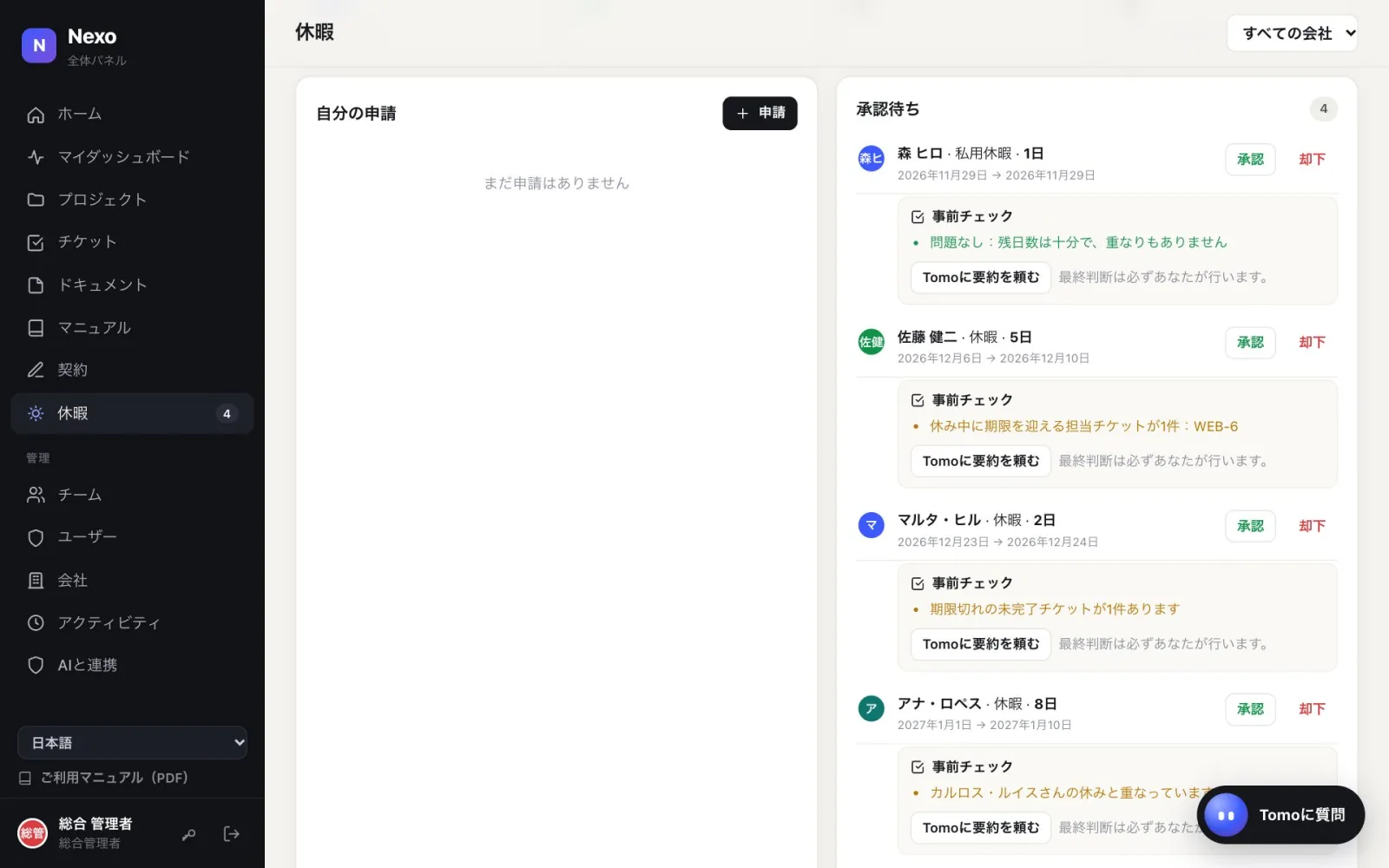
Requests and approvals, team calendar, and an automatic pre-check before approving.
Personal and team dashboards
Closed tickets, on-time rate, estimate vs. actual and an efficiency score per person.
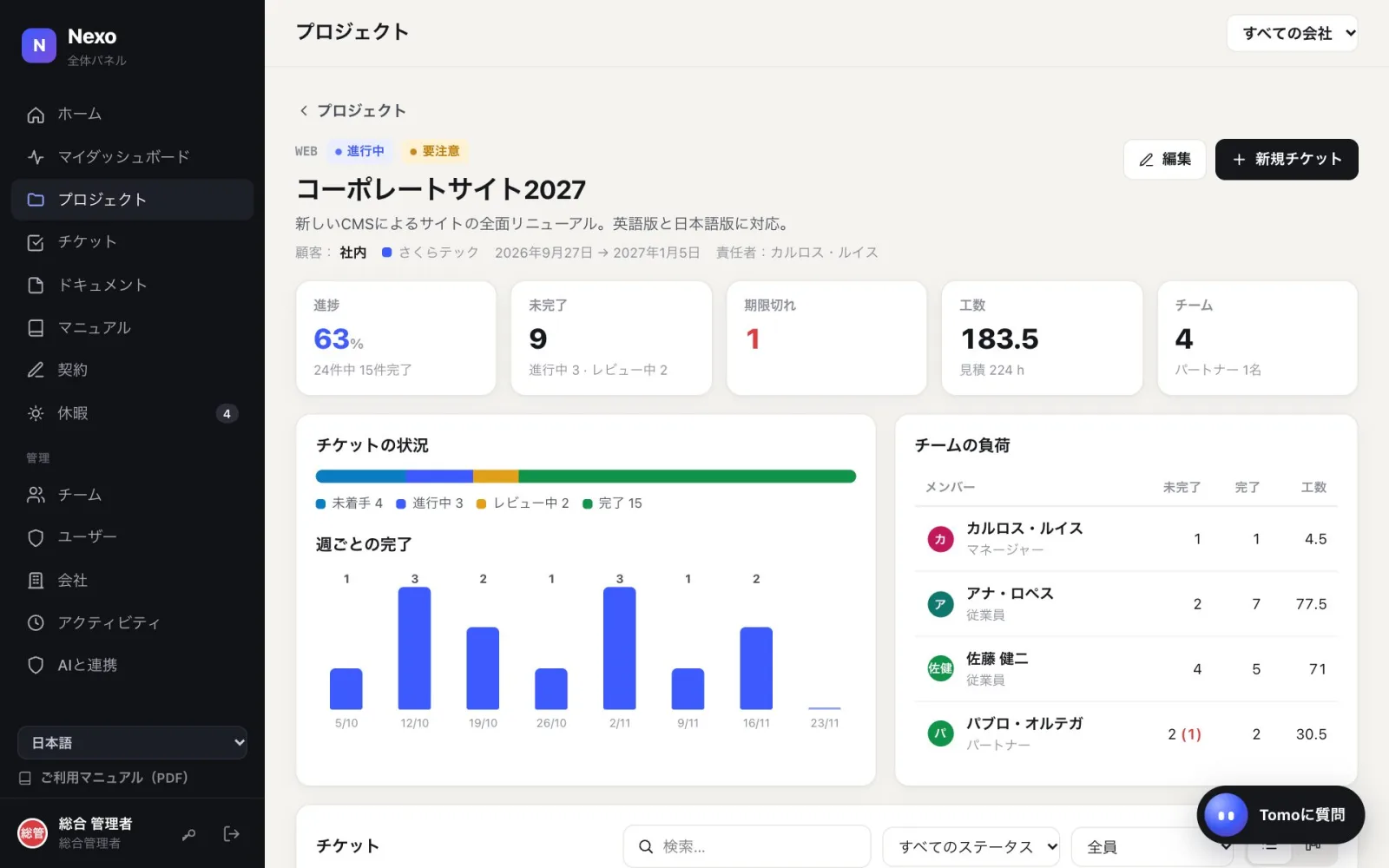
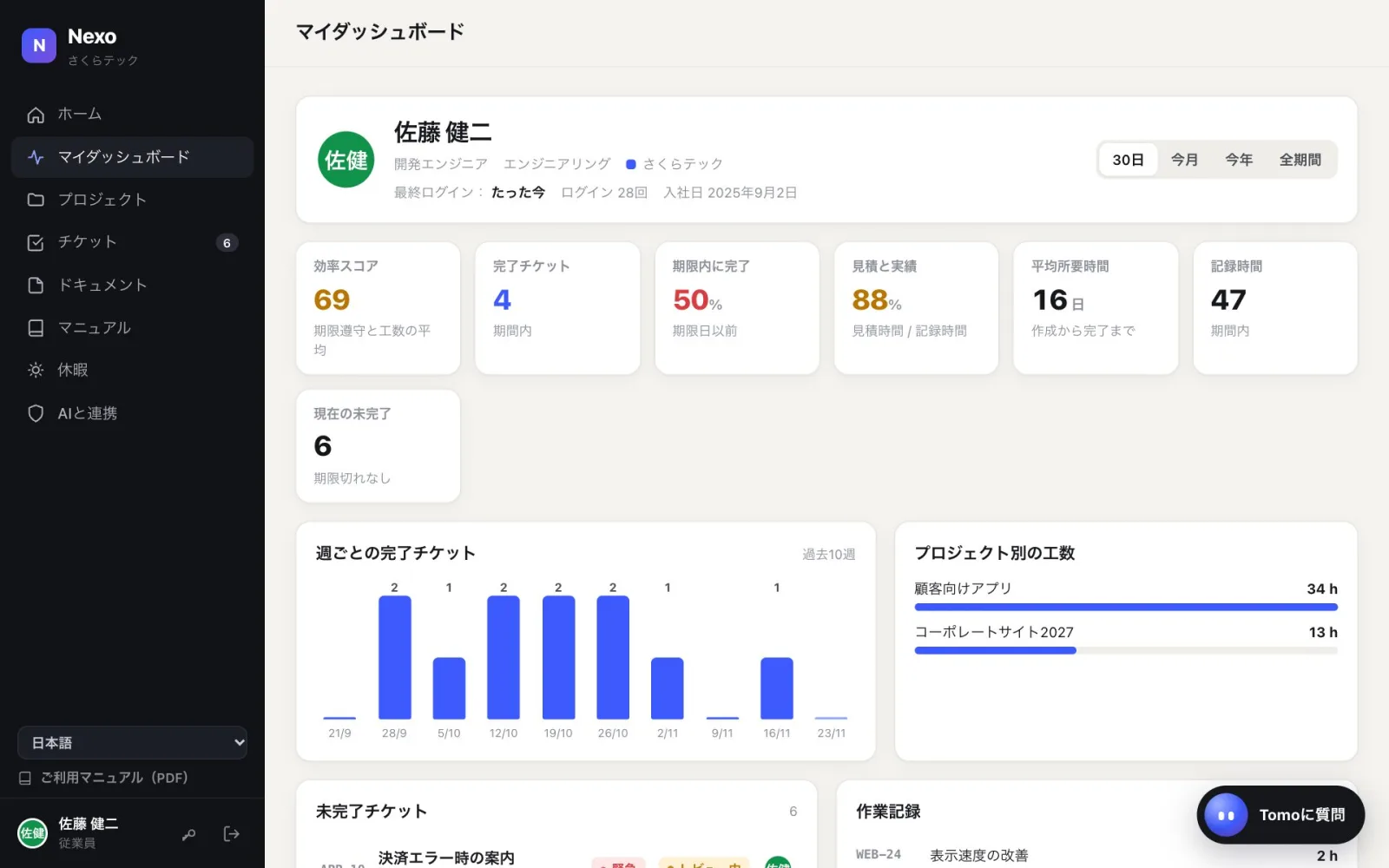
Projects and people, in numbers.
Progress, team workload and efficiency scores are calculated automatically from logged hours and tickets. Use the buttons below to switch screens.
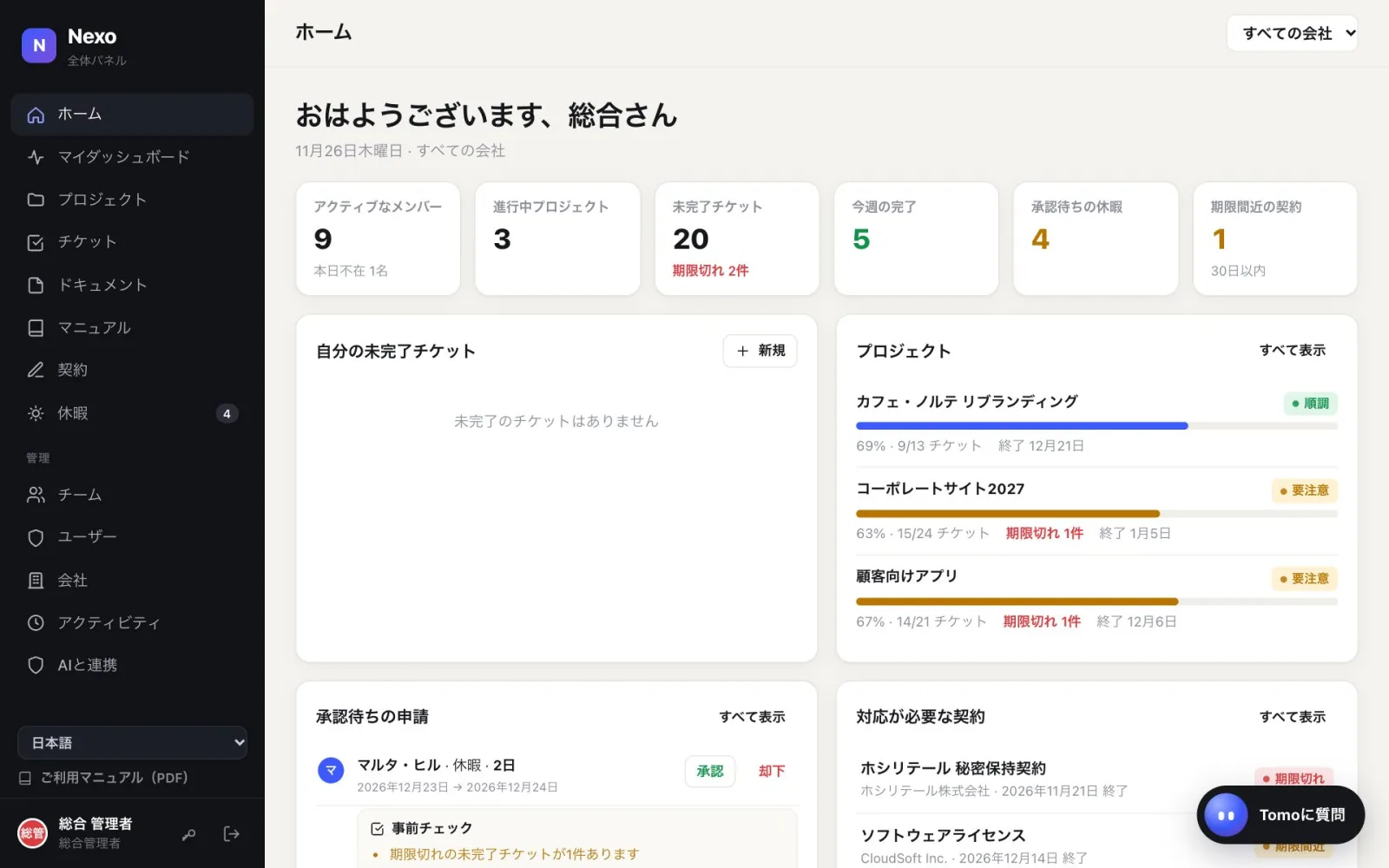
- Home: today’s work, overdue items and pending approvals at a glance
- Project: tickets closed per week and workload per member
- Personal: on-time rate, estimate vs. actual, efficiency score
- Time off: pre-check before approval
* Screens show a demo environment with sample data (interface in Japanese).
Three ways to deploy, to match your security policy.
The same product, switched with a single setting.
100% cloud
Every question is handled by a cloud AI model (Claude).
- No server to prepare
- For a quick start
100% local
The AI, dictation and spoken answers all run on your own server.
- Nothing is sent to the internet
- When data cannot leave the company
Hybrid
Confidential topics stay with the in-house AI. General questions go to the cloud AI, without the confidential data.
- Contracts, personal data, finance and restricted files stay in-house
- Routed automatically by content
* Local deployment needs a local LLM on your server. Answer quality depends on the model and hardware you use.
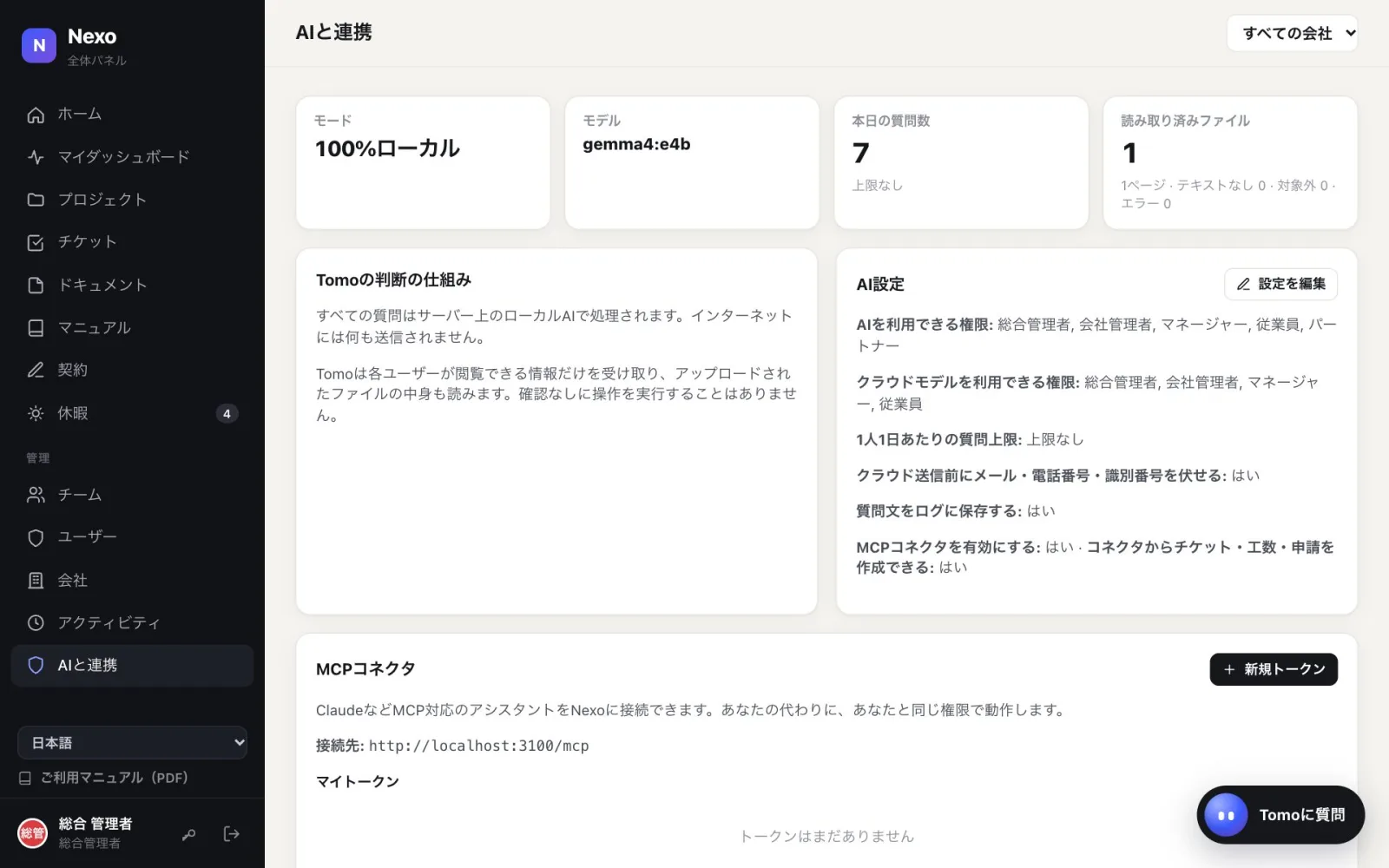
Administrators can see how AI is being used.
Who asked what, when, and where it was processed. AI usage made visible.
- Settings per access level, and a daily question limit
- Emails, phone numbers and ID numbers masked before anything goes to the cloud
- AI usage log: question, where it ran (local or cloud), files consulted
- MCP connector: use Nexo from Claude and other assistants, with the person’s own permissions
Permissions are enforced on the server.
Five access levels
General admin, company admin, manager, employee and partner. The server limits the data it sends, not just what the screen shows.
Runs on your own server
All it needs is Node.js. The database and the files live in a single folder.
Activity record
Logins, ticket changes, shared documents and time-off approvals are recorded in order.
Frequently asked questions
What does local deployment need?
One server (or PC) that runs Node.js, plus a local LLM. Answer quality and speed depend on the model and hardware you use.
Can the AI act on its own?
No. Creating tickets, logging hours and similar actions are shown as proposals and run only when the person presses the confirm button — and only within that person’s permissions.
Which files can the AI read?
PDF, Word, Excel, PowerPoint and text. For now, scanned PDFs (images with no text layer) cannot be read.
What is the MCP connector?
A connection that lets Claude and other MCP-capable assistants search Nexo, create tickets, log hours and request time off. The assistant works with the same permissions as the person.
Which languages are supported?
The interface is available in Japanese, English and Spanish, and each person chooses their own language.
When will it be available?
Nexo is currently in development. For a demo or to discuss adopting it, please use the contact form.
Bring Nexo to your company.
In a free 30-minute call, we’ll suggest the right deployment and next steps.