
Turning a ¥10,000 Photo Frame into Our Home Dashboard: Weather, Trains, News and Lights in Three Languages
With vibe coding, we turned a ~¥10,000 digital photo frame into a custom home dashboard. Weather and rain radar, the nearest stations' trains, news, earthquake alerts and light control, in English, Japanese and Spanish. It runs on its own, with no computer.

I'm Debitto, CEO of MetAI.
I bought a 10.1-inch digital photo frame on Amazon (Frameo-compatible, 1920×1200) for about ¥10,000. Instead of cycling through photos, it is now our home dashboard: weather, rain radar, trains at the nearest stations, news, earthquake alerts, and even light control. Everything switches between English, Japanese and Spanish with one tap.
I built it with vibe coding: talking with an AI that writes the code while I decide what I want. The idea came from developer Wes Bos's article Hacking smart photo frames.
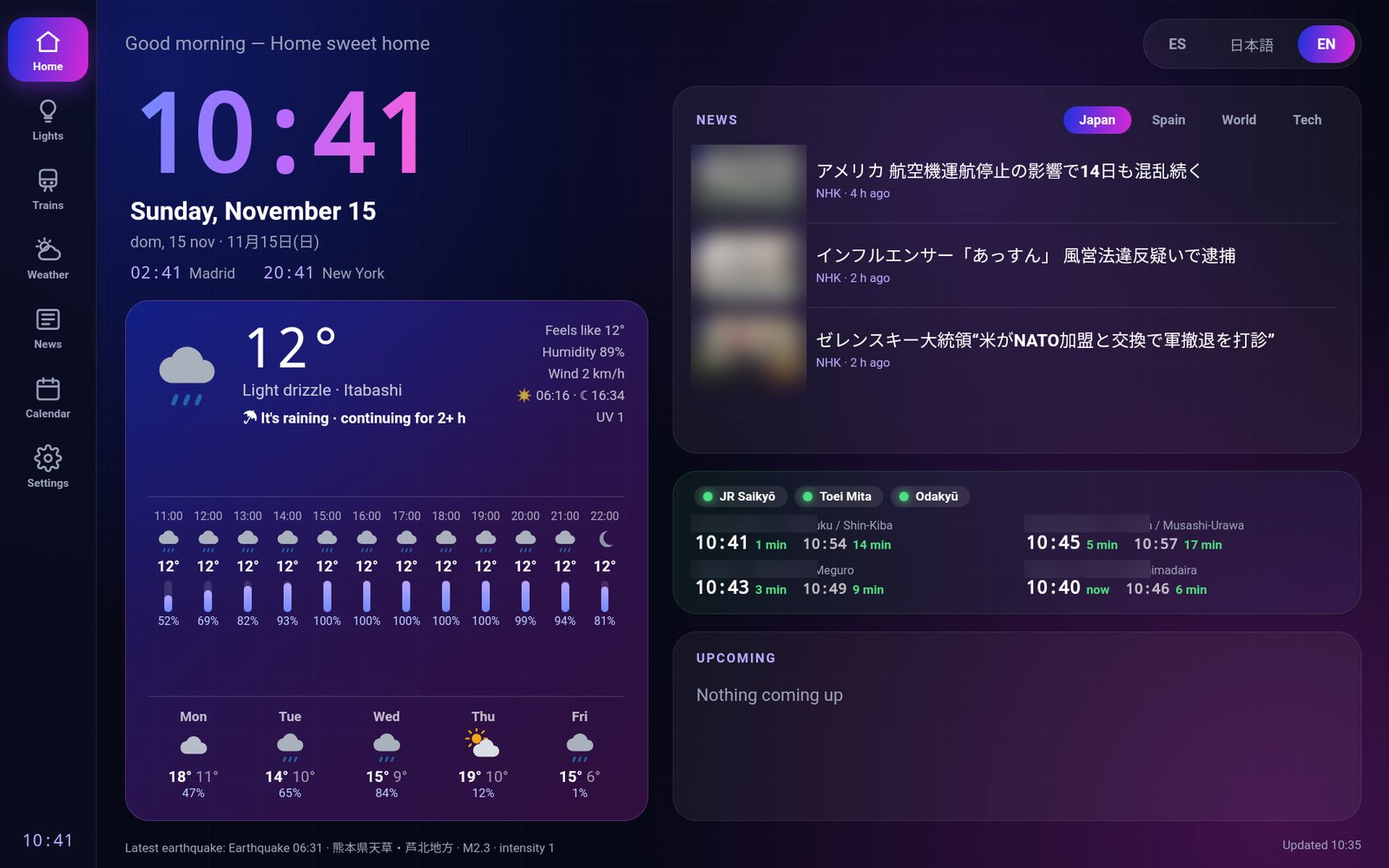
Home screen: clock, weather, news, trains and agenda at a glance. (Station names and news photos blurred.)
What it does
- Three languages: English, Japanese and Spanish, from a button at the top right. Dates also show the Japanese era year (Reiwa).
- Weather and "the rain coming up": current conditions, the next 12 hours and the week. One line tells you about rain in the next 2 hours: "Rain from around 15:20".
- Rain radar: the Japan Meteorological Agency's nowcast animated on a map centered on home, from 45 minutes ago to 1 hour ahead.
- Trains: status of the three lines I use most (normal, delays, suspended) and the next departures from the two nearest stations, in minutes. It switches between weekday, Saturday and holiday timetables automatically.
- News: headlines with photos from NHK, El País, BBC and Hacker News. Tap one to read it right on the frame.
- Earthquakes and warnings: a strong earthquake or a weather warning for our ward shows up as a banner at the top.
- Lights (Philips Hue): on/off per room, brightness, scenes, and "All off".
- Morning and night modes: on weekday mornings from 7 to 9, trains and rain are shown large. At night the screen dims, and a tap brightens it for 5 minutes.
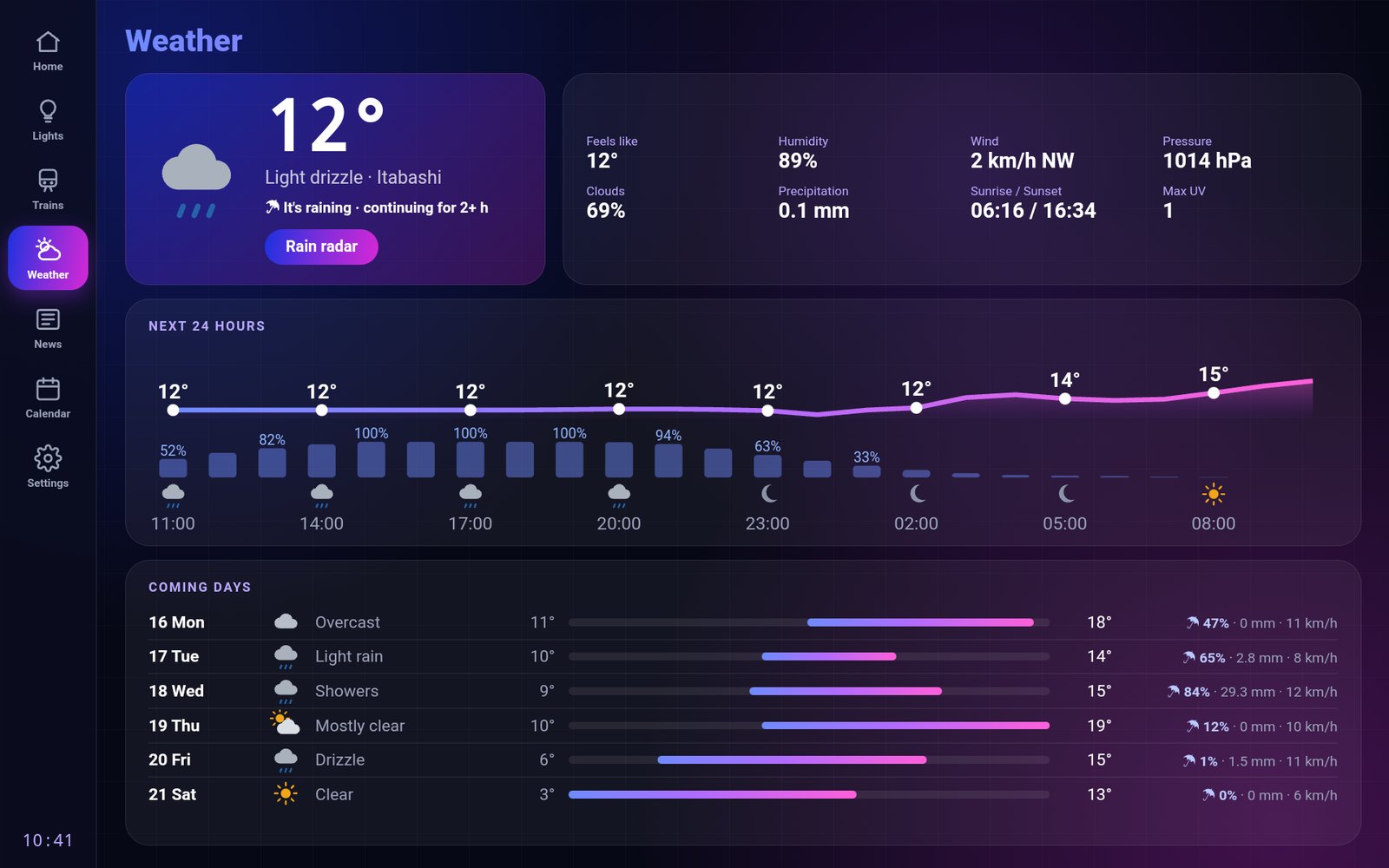
Weather details: temperature and chance of rain over 24 hours, plus the coming days.
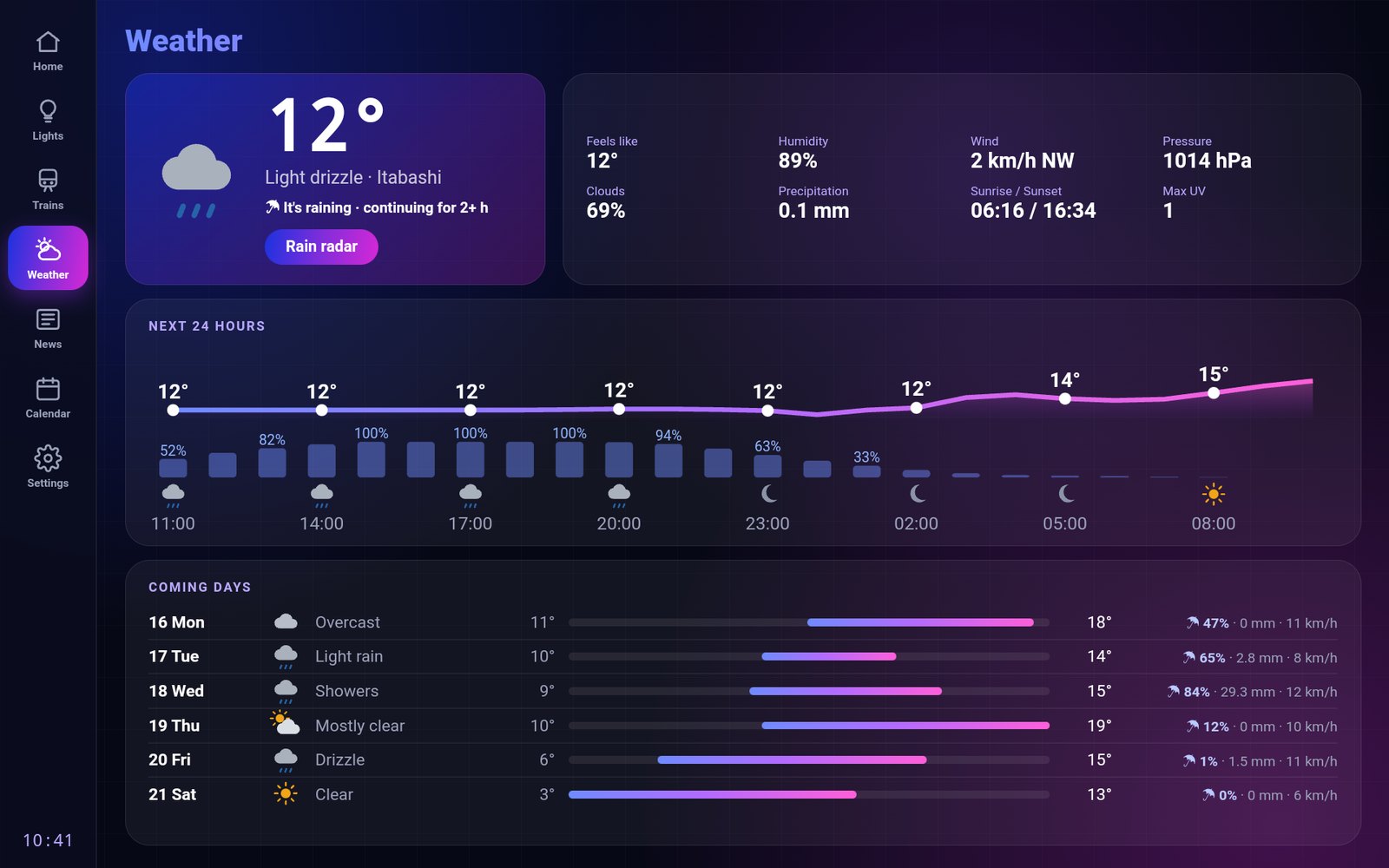
Rain radar. The pink dot marks our area. JMA nowcast data on GSI map tiles.
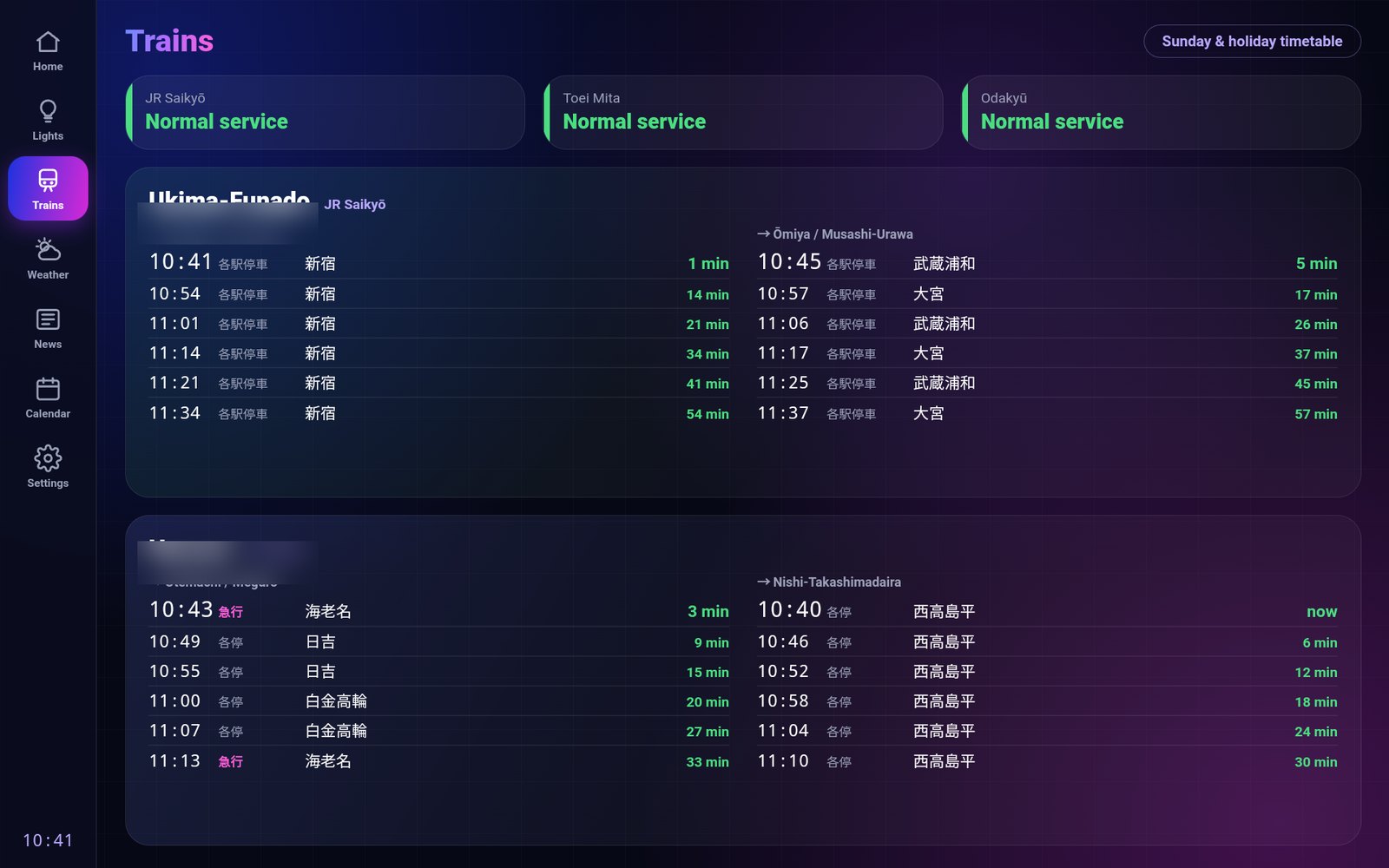
Trains: status of three lines and the next departures from the two nearest stations (names blurred).
It runs on its own — no computer needed
At first, a small server on my Mac prepared the data and the frame only displayed it. But whenever the Mac went to sleep or its IP address changed, the dashboard went blank.
So everything moved inside the frame. Now it just needs power and Wi‑Fi in the living room: it refreshes the weather every 10 minutes, trains every minute and news every 15. To change settings (add a news source, switch stations…) I edit a configuration file online, and the frame picks it up within minutes.
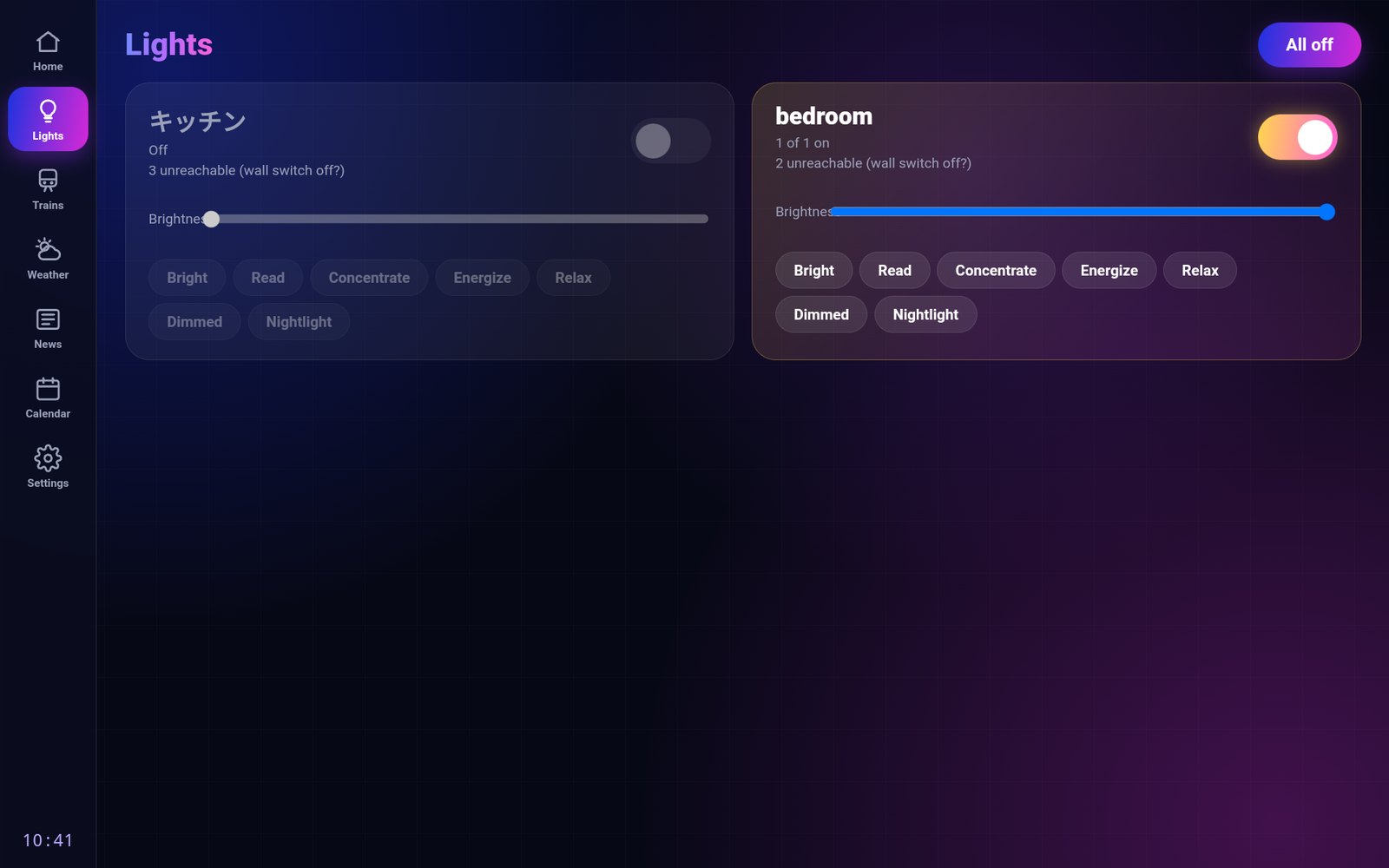
Philips Hue lights: a switch, brightness and scenes for each room.
How it was built (roughly)
- No disassembly or modding. In Frameo's settings, turning on the "Beta program" reveals an "ADB access" switch for developers. It is an official feature.
- Connect a computer by cable and install a small app. Based on Wes Bos's open-source app, it shows the dashboard full-screen and starts when the frame turns on.
- Data from public sources. Weather from Open‑Meteo, radar and warnings from the Japan Meteorological Agency, earthquakes from P2PQuake, Toei subway timetables from public transport open data, and news from each outlet's RSS feed.
- Built for an old browser. The frame's built-in browser is several years old, so features were chosen carefully.
- In MetAI style. Navy background and the brand's blue → purple → magenta gradient.
What didn't work the first time
- The computer didn't detect it. The included cable only charges, and USB‑C to USB‑C doesn't work either. It took a USB‑A → USB‑C data cable and an adapter.
- One morning it got stuck in a reboot loop. The frame had updated itself, and the new system crashed when it found leftovers from an install that had failed weeks earlier. The AI read the crash log the frame keeps, deleted just that file, and everything came back. Automatic updates are now turned off.
- You can't talk to it. This frame has no microphone. Asking it things by voice would need, for example, a Bluetooth microphone.
- The weather agency changed its data. With the new warning system introduced in May 2026, the warning data moved to a new location.
Approving USB debugging, pressing the button on the lights' bridge, and deciding what gets published where were done by me, not the AI.
From "I want something like this" to having it work
Inside, a cheap photo frame is a small Android tablet. Instead of adapting to the product as it comes, I rebuilt it around our daily life. This project was a small experiment in that direction.
At MetAI, we use the same approach to help build custom internal and web tools and to bring in AI that runs locally. If you're wondering "what would this look like for us?", get in touch.
Data: Open‑Meteo, Japan Meteorological Agency, P2PQuake, Public Transportation Open Data Center, Yahoo! Transit, GSI tiles, NHK, El País, BBC and Hacker News. Train timetables are for personal use only.